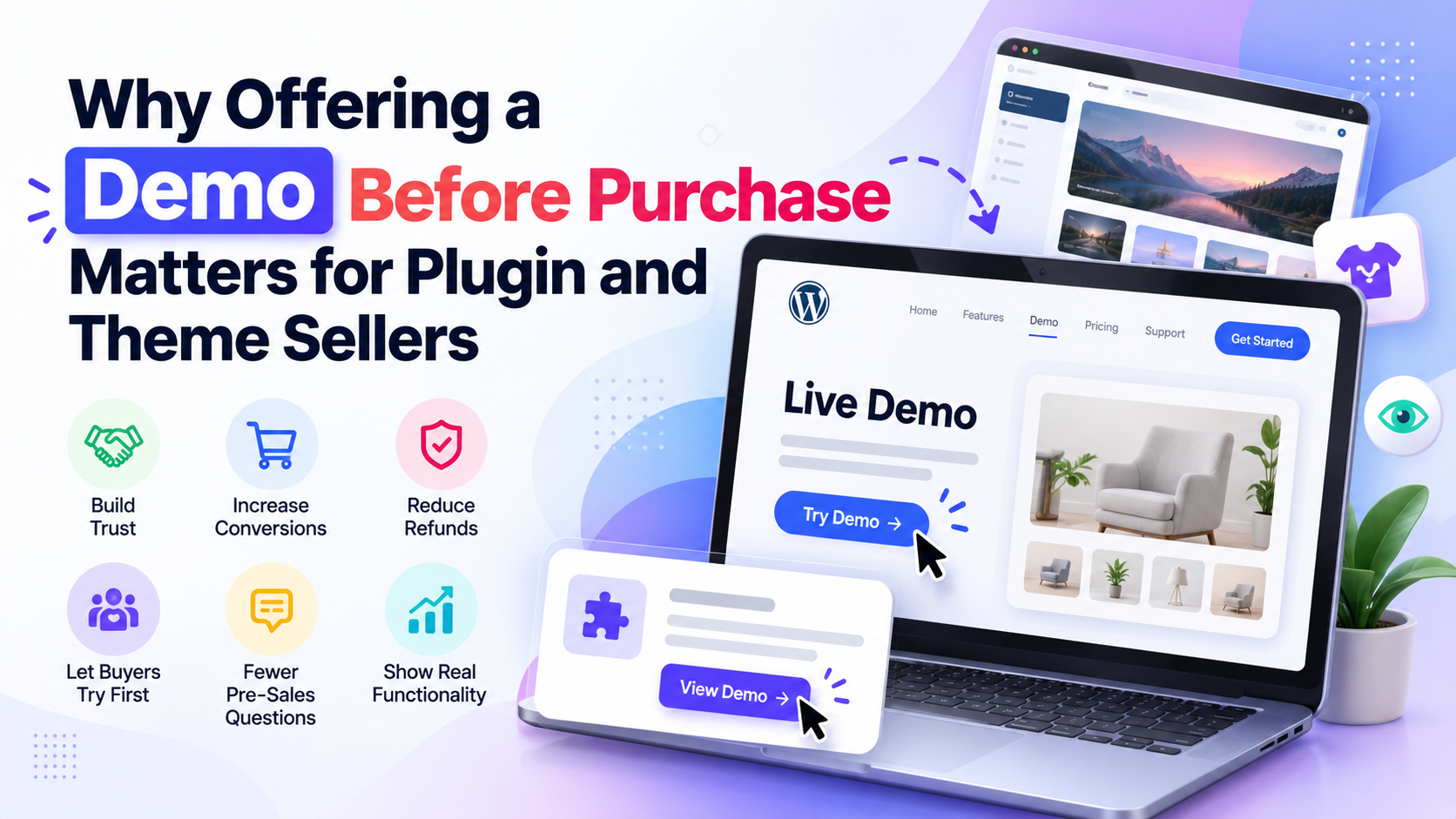
Why Offering a Demo Before Purchase Matters for Plugin and Theme Sellers?
Picture a store owner named Maya. She runs a WooCommerce shop and needs a plugin that lets customers pick a delivery date at checkout. After a few searches, she finds one that looks perfect. The screenshots are clean. The feature list covers everything on her wish list. The reviews are decent.
And she still doesn’t buy.
Instead, she opens the plugin page in one tab, a competitor in another, and a “best delivery date plugins” roundup in a third. Twenty minutes later she has bookmarked all three and purchased none.
The plugin isn’t weak. Maya just can’t answer a handful of simple questions. Will it clash with her theme? Is the settings screen a maze? How does the date picker behave on a phone? No screenshot can tell her.
That gap between “this looks right” and “this feels safe” is where a lot of plugin sales quietly disappear. A WordPress plugin demo closes it. When a buyer can click the real product, change a real setting, and see a real result, they stop guessing. This is the idea behind try before buying, and it works just as well for a theme demo as it does for a plugin.
The Biggest Challenge of Selling Digital Products
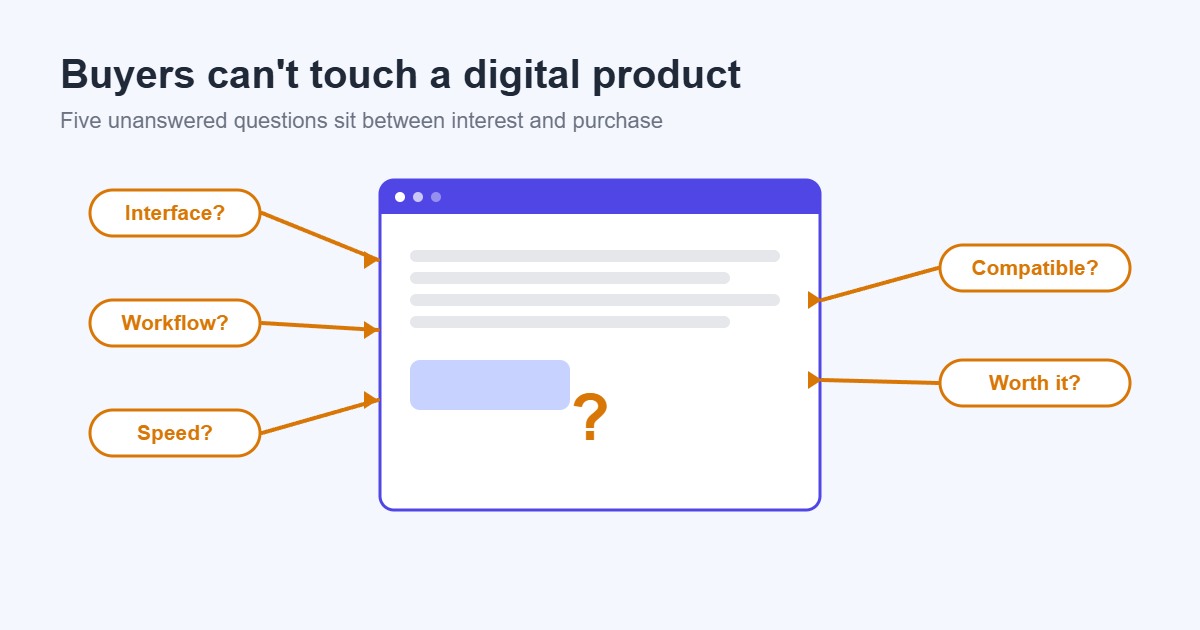
When you buy a physical product, you can pick it up. You feel the weight, check the stitching, and see how it fits in your hand. Even online shoppers get that comfort from return policies and unboxing videos.
A WordPress plugin or theme gives the buyer none of that. Before paying, they can’t:
- Touch the product. There is nothing to hold, so they judge it from a description.
- Test the interface. They don’t know if the settings are clear or cluttered.
- Understand the workflow. How many clicks does a common task take? Where does the data go?
- Judge performance. Will it slow down their site? Does it load heavy scripts?
- Check compatibility. Will it work with their theme, their page builder, their other plugins?
Every one of these is a small uncertainty. Together they add up to a feeling of risk, and risk makes people hesitate.
If you sell plugins or themes, you aren’t only selling features. You’re selling certainty. The question is how to give it to people before they pay.
Why Screenshots and Videos Are No Longer Enough
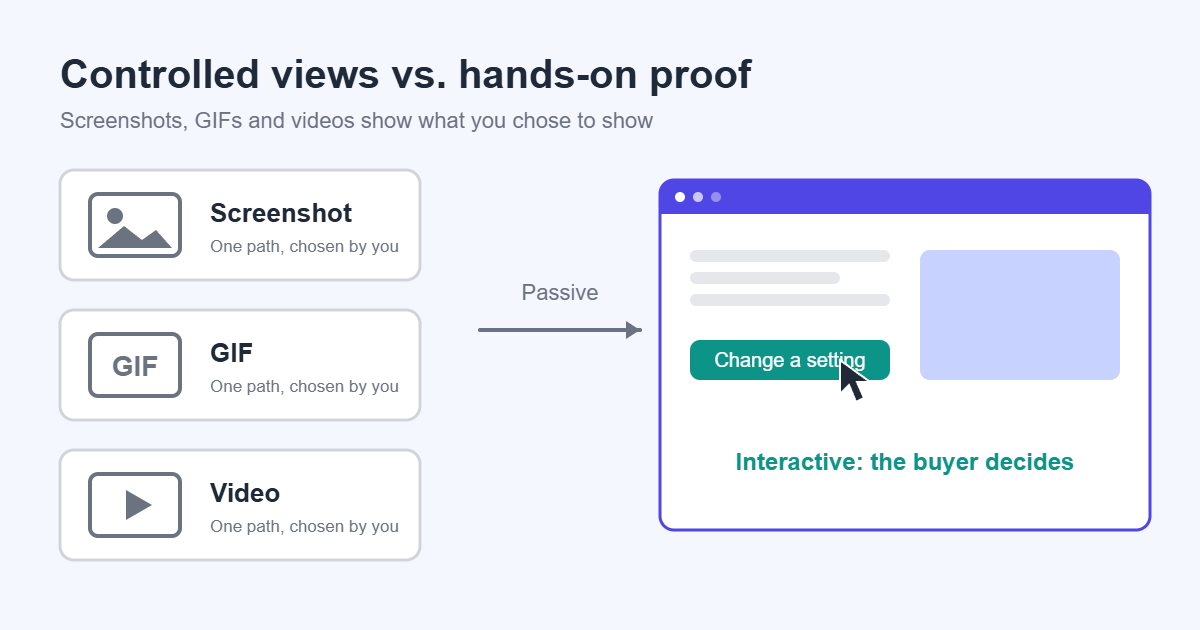
Screenshots, GIFs, YouTube videos, and documentation all do useful work. You should keep using them. But each one has a limit, and buyers have learned to see through them.
Screenshots show the best-looking moment. They don’t show how the product behaves between screens, how long saving takes, or what happens when a field is left empty. Buyers also know that screenshots can be staged.
YouTube walkthroughs are excellent for explaining a workflow, but the viewer is passive. If they wonder about a setting you didn’t mention, they have to scrub through the video or give up.
Documentation answers questions for people who already own the product. Few prospects will read a full knowledge base before buying, and docs can’t show how the product feels to use.
All four have the same weakness: you control what the buyer sees.
An interactive demo flips that. The buyer decides what to click, which setting to change, and which page to open. Because they are in control, what they find is more believable than anything you could write on a sales page. Confidence built from your own experience is far stronger than confidence borrowed from someone else’s description.
How Live Demos Reduce Purchase Anxiety
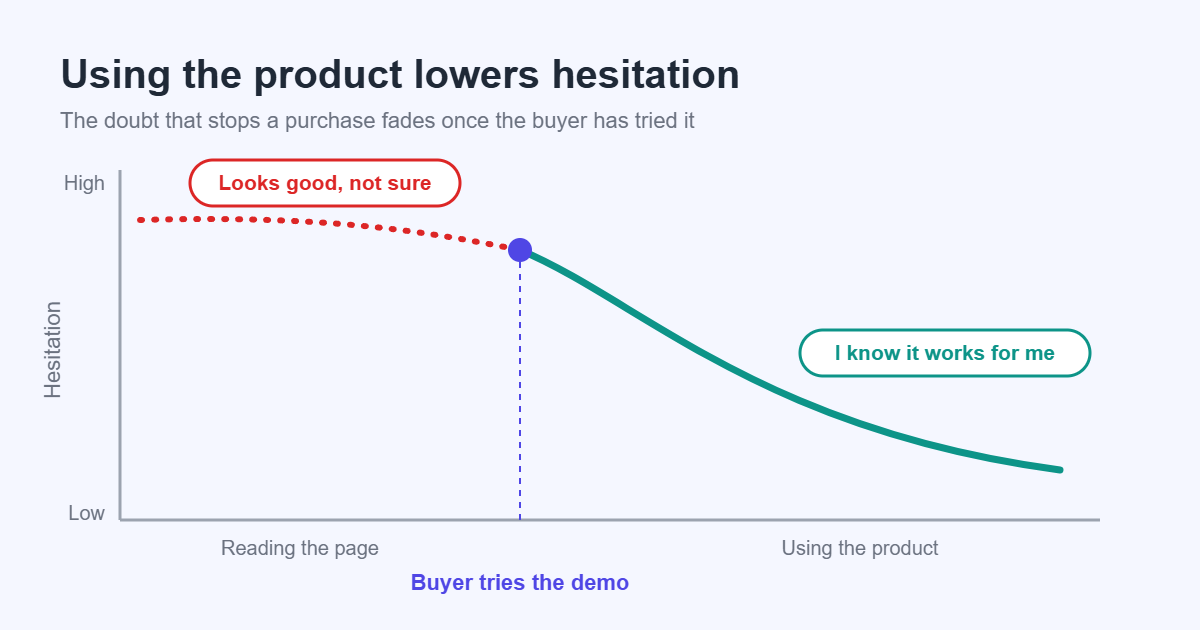
Most hesitation before a purchase is not about price. It is about the fear of making a mistake. A live demo reduces that fear in several ways.
Trust
Offering a live demo tells the buyer you are confident in your product. You are inviting them to look closely instead of asking them to take your word for it. That openness builds customer trust before any money changes hands.
Transparency
A demo shows the product as it really is: the good parts and the rough edges. Oddly, that makes people trust it more. A product that survives honest inspection feels safer than one that only appears in perfect screenshots.
Confidence, exploration and feature discovery
When someone completes a real task, they know they can do it again after buying. People also like to explore. A buyer who finds the feature they care about alone is more convinced than one who is told it exists, and a visitor looking for one thing often notices another that solves a second problem.
The psychology behind it
Two well-known ideas from behavioral psychology explain much of this. The first is loss aversion: people feel the pain of a bad purchase more strongly than the pleasure of a good one, so they delay deciding when they’re unsure. A demo lowers the chance of loss.
The second is ownership. People value things more once they have interacted with them. A buyer who has used your product for ten minutes starts to picture it on their own site. The decision shifts from “should I buy this?” to “how would I use this?”
Benefits of Offering a Demo Before Purchase
The benefits go beyond making people feel good. Here is what sellers usually notice when they add a proper demo.
Higher conversion rates. A demo removes the most common reason to leave: “I’m not sure.” Fewer visitors drop out at the decision point, which helps you increase conversions without changing your traffic or your price.
Fewer pre-sale questions. Many pre-sale emails are really “how does this work?” or “can it do X?” A demo lets people answer those themselves and saves you from typing the same reply again and again.
Fewer refunds. Buyers who have already used the product know what they are getting. That helps reduce refunds, because the mismatch between expectation and reality is smaller. Refunds tend to come from surprise, and a demo removes most surprises.
Higher customer satisfaction. Customers who bought the right product for their needs are happier. They are more likely to leave a good review and less likely to blame the product for something it was never meant to do.
Improved trust. Trust builds over time, and a demo is a visible, honest signal at the very start of the relationship. It also supports your reputation if buyers compare you with competitors that offer only screenshots.
Increased engagement. A visitor who clicks around inside your product spends far more time with your brand than someone who skims a page. Even if they don’t buy immediately, they are likelier to remember you.
Better-qualified buyers. A demo helps the wrong buyers filter themselves out before purchase. That might sound bad, but it isn’t. A buyer who realizes the plugin isn’t a fit saves you a refund and a support ticket.
Reduced support workload. People who have already seen the settings and tried the main features arrive with fewer basic questions. Your support time goes to real problems instead of “where do I find this option?”
Different Types of Product Demos
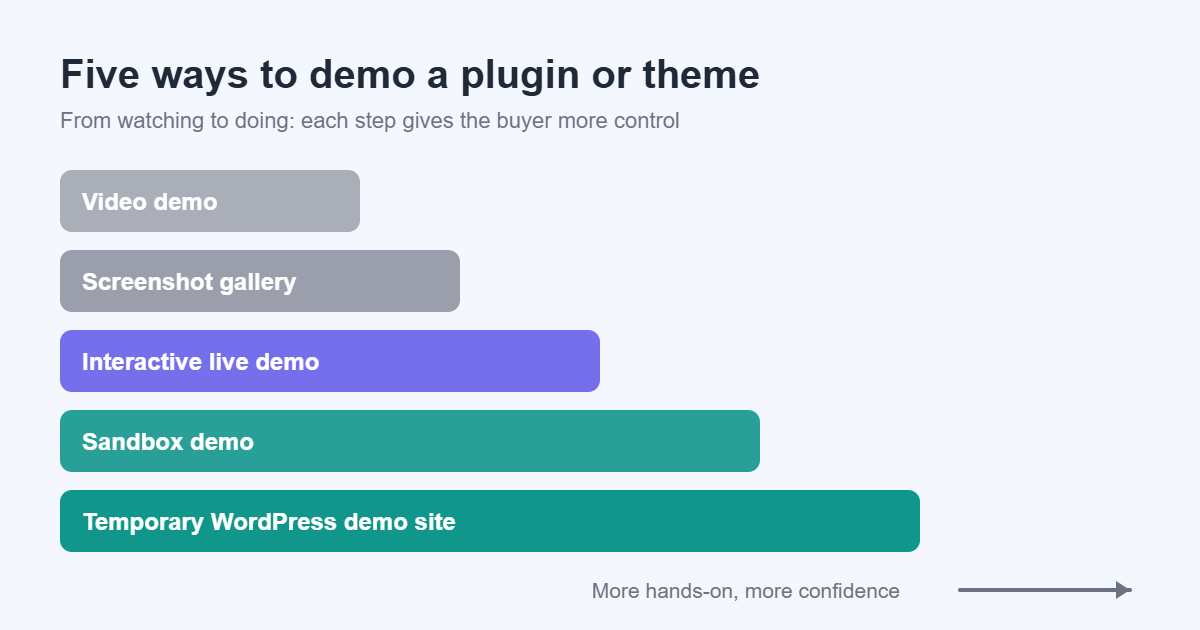
Not all demos are equal. Here are the main options and how they compare.
| Demo type | What the buyer gets | Pros | Cons |
|---|---|---|---|
| Video demo | A recorded walkthrough | Cheap to produce, good for explaining workflows | Passive, goes out of date after updates |
| Screenshot gallery | Static images of key screens | Fast to build, easy to scan | Shows only the best moments, no real feel |
| Interactive live demo | A real working copy to click through | High confidence, buyer controls the experience | Needs hosting and upkeep |
| Sandbox demo | A private, isolated copy for each visitor | Visitors can change anything without affecting others | Needs a platform that creates and removes copies |
| Temporary WordPress demo site | A short-lived WordPress install created on demand | Full admin access, close to the real product | Setup is more technical, uses server resources |
Most sellers do best with a mix. Use screenshots and video to attract attention, and offer an interactive demo for people who are close to buying.
Common Problems with Traditional Demo Sites
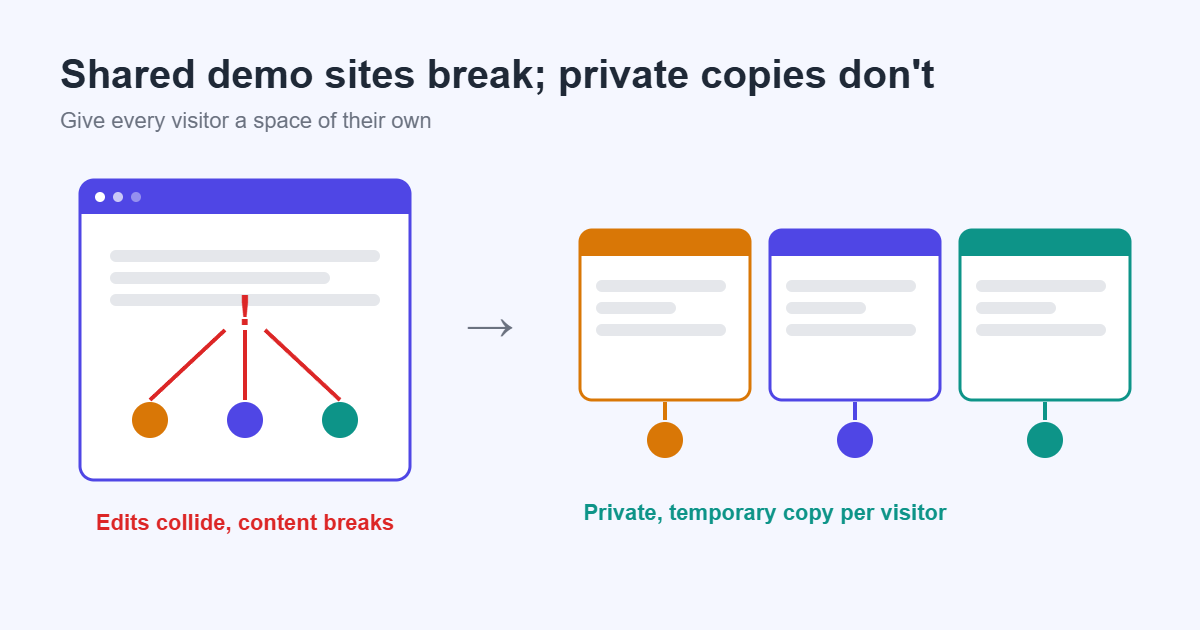
Many sellers have already tried a demo and given up because it caused more trouble than it solved. The usual setup is one shared WordPress demo site with a public login. It sounds simple, but it tends to break in predictable ways.
- Shared demo websites. Everyone lands on the same site. One person’s changes are what the next person sees.
- Broken content. Someone deletes a page, changes a setting, or uploads something strange, and the demo no longer looks like your product.
- Multiple users interfering. Two visitors editing the same settings at once can overwrite each other, so the buyer sees confusing behavior and blames the product.
- Outdated demo data. Sample content gets stale. Old posts, broken images, and products from three versions ago make the product look neglected.
- Poor user experience. Slow loading, confusing login screens, or demo sites that sit on cheap hosting leave a bad first impression.
- Security risk. Giving public visitors an administrator account on a site that shares a server with anything important is a risk you don’t want to take.
What Makes a Great Interactive Demo?
A good interactive demo is easy to describe. It feels like trying your product on a quiet afternoon with nobody watching. These are the qualities that matter.
- Private. Each visitor has their own demo. Nothing they do can affect someone else.
- Temporary. The demo lasts long enough to explore, then disappears. This keeps your server clean and removes the risk of leftover data.
- Reset after use. The next visitor always gets a fresh, correct version, with no leftovers from the last one.
- Fast loading. If the demo takes a minute to appear, many visitors will leave before it does. Speed is part of the product’s first impression.
- Realistic content. An empty site makes a plugin look pointless. Sample posts, products, orders, and pages that look like a real business help the buyer picture their own use.
- Easy access. One click should take people from your sales page to the demo.
- No complicated signup. Asking for an email, a password, and a confirmation before the demo is a great way to lose visitors. If you need contact details, make them optional.
Tip: Land the visitor on the screen they most want to see, such as your plugin’s main settings page or your theme’s homepage, instead of the generic WordPress dashboard.
Self-Hosted Demo Platforms vs Third-Party Services
Once you decide on an interactive demo, you have two broad ways to deliver it. You can use a third-party service that hosts the demos for you, or you can run the demo on your own server with a self-hosted tool. Neither is better in every case.
| Factor | Self-hosted | Third-party service |
|---|---|---|
| Ownership | You control the demo, the data, and the setup | The provider holds the platform and the data |
| Branding | Your own domain and design | Often the provider’s domain or branding, unless you pay for more |
| Cost | Usually your existing hosting plus setup time | Regular subscription fees that may grow with usage |
| Flexibility | Choose any plugins, themes, and content | Limited to what the provider supports |
| Customization | Full control over behavior and look | Depends on the provider’s settings |
| Privacy | Visitor data stays on your infrastructure | Visitor data is handled by a third party |
| Scalability | Limited by your server, which you can upgrade | Handled by the provider, usually at a price |
| Maintenance | You keep everything updated | The provider maintains the platform |
A third-party service makes sense if you want to launch quickly, have no interest in managing servers, or sell many products. A self-hosted setup tends to suit sellers who already run their own hosting and want control over branding, data, and long-term cost.
Best Practices for Creating Plugin and Theme Demos
These habits come from watching demos succeed and fail. They apply whether you offer a WordPress plugin demo, a theme demo, or a WooCommerce plugin demo.
- Start with a clear goal. Decide what you want the visitor to learn in the first two minutes, and design the demo around it.
- Pre-configure the product. Don’t make visitors set everything up. Show it working first, then let them change it.
- Use realistic content. A WooCommerce plugin demo needs believable products, prices, and orders. A theme demo needs real-looking posts, pages, and images, not lorem ipsum.
- Show the front end too. Buyers care about what their own visitors will see, not just your admin screens.
- Match the length to the product. A simple plugin needs a short session. A complex theme or a multi-step WooCommerce extension needs more time.
- Isolate it from your main site. Run the demo away from your store and customer data, ideally on a separate domain or server.
- Keep it current. Update the demo on the same day you release a new version. An outdated demo hurts customer trust more than having none.
- Test as a stranger. Open the demo in a private window, on a phone, and on a slow connection. That is what your buyers experience.
- Add a clear next step. End the experience with an obvious path to pricing or download, without pushing.
Frequently Asked Questions
Should I offer a live demo for my WordPress plugin or theme?
If your product has a user interface that buyers will spend time in, yes. A live demo helps most when the product is complex, when buyers compare several options, or when your price is high enough that people want proof before paying.
Will a demo give away my product?
Rarely. A good demo shows how the product works and feels, but it doesn’t hand over your code. Buyers who have tried a demo and liked it usually want the real version, with updates and support.
How long should a demo session last?
Long enough for someone to reach the main value of your product and no longer. For a simple plugin that might be a few minutes. For a complex theme or WooCommerce extension, plan for more time.
Does a demo really help reduce refunds?
It tends to. Many refund requests come from a mismatch between what the buyer expected and what they got. A demo lets people see the product first, so fewer buyers end up surprised.
Are screenshots and videos still worth making?
Yes. They help visitors decide whether to try the demo, and some people prefer to watch before they click. Think of a live demo as the next step after them, not a replacement.
Final Thoughts
Selling a digital product means asking people to trust something they can’t hold. Screenshots, videos, and documentation all help, but they can’t answer the question buyers care about most: “Will this work for me?”
A well-built interactive demo can. It lets people test the product, see how it behaves, and make their own call. For sellers, the rewards are practical: stronger plugin sales, fewer repeat questions, fewer refund requests, and customers who understand what they bought.
Every premium WordPress product deserves the chance to be experienced before it is purchased. If you’ve been relying on screenshots alone, that is a small change with a big effect on how your customers feel about buying from you.